ADLINK-IST Connected Factories > DEX > 04-Dex-pro > 03-PageID
How to identify the feature for each bmp(layer)
You can flow the below steps or watch the link below Video.
SOP
- Open you desing’s [.blf] file.
- Select the page of Page Identfy
- Define and draw the region(ROI)
Example
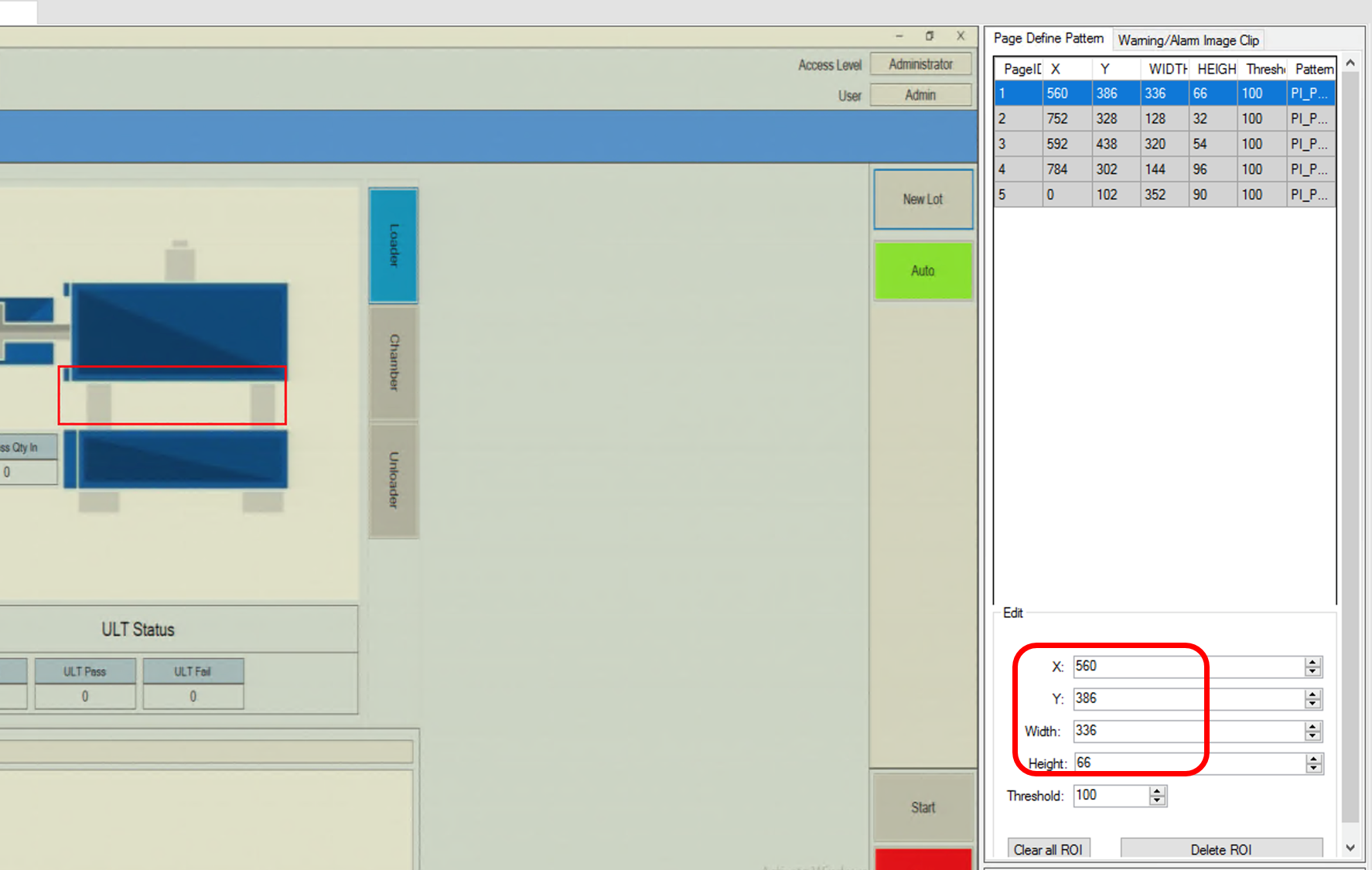
The ROI all parameter values of pixel size must be multiples 4.
- Save config the region of the feature(ROI) after adjust the threshold for each bmp(layer).
The larger threshold can tolerate more noise however it shall loss prcision.
- Load config for checking PageIdentify enabled.
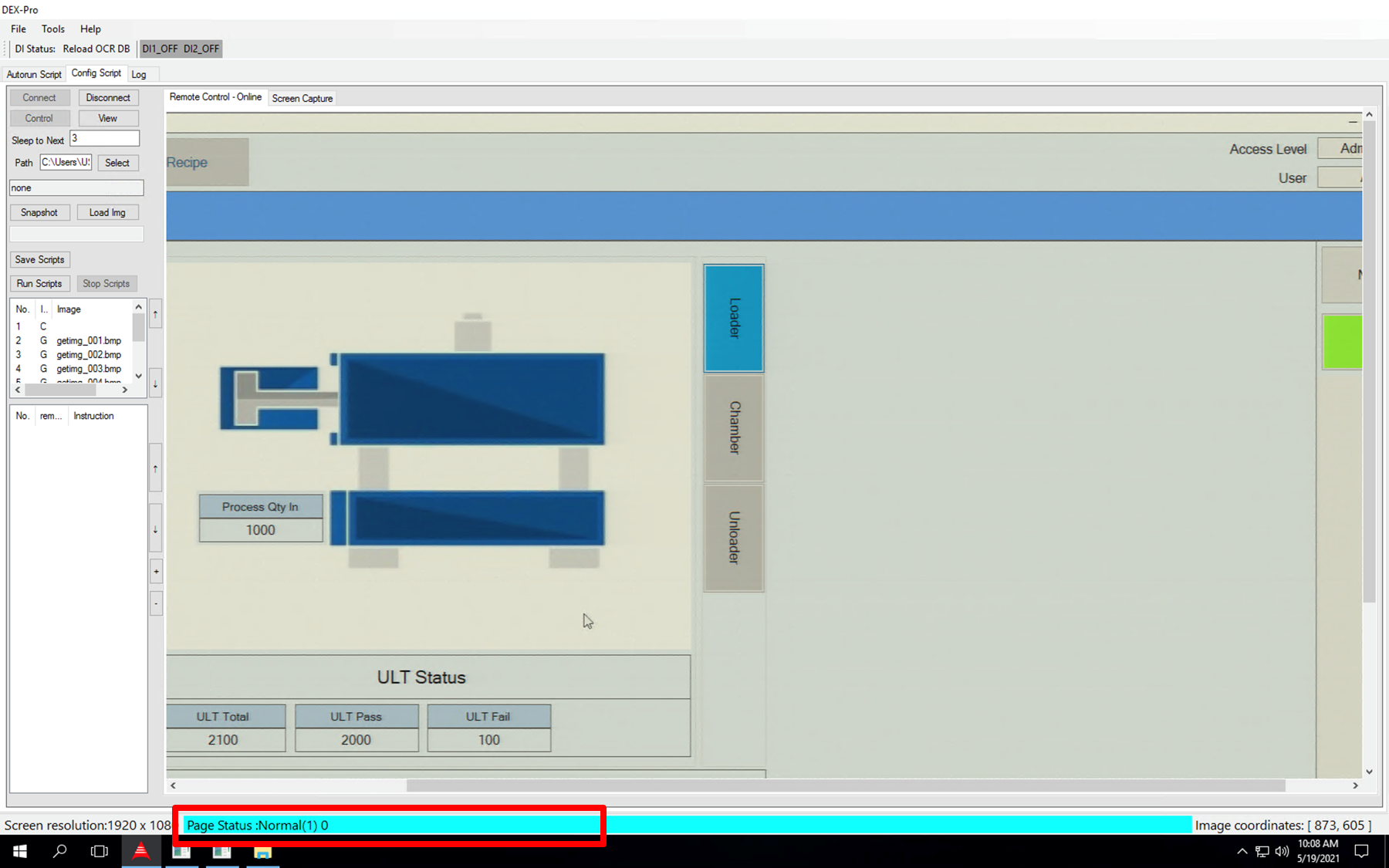
- Click the button of connect again then seeing the Light blue bar, It is successful.